LLM之RAG实战(四十四)| rag-chatbot:支持Huggingface和Ollama任意模型的多PDF本地RAG方案
作者:weixin02 · 2024-12-17 · 阅读时间:6分钟
特点:
- 支持本地运行和
Kaggle(new)运行 支持Huggingface和Ollama 的任意模型- Process multiple PDF inputs.
- Chat with multiples languages (Coming soon).
- Simple UI with
Gradio.
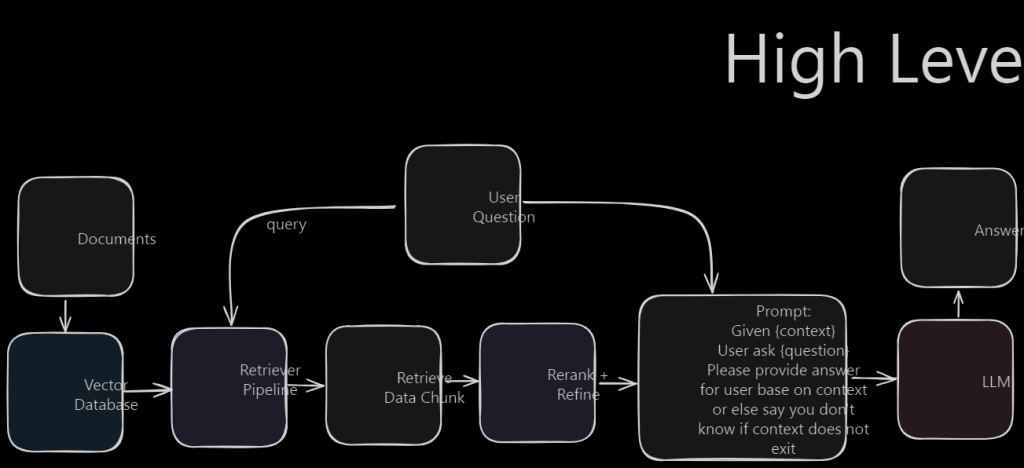
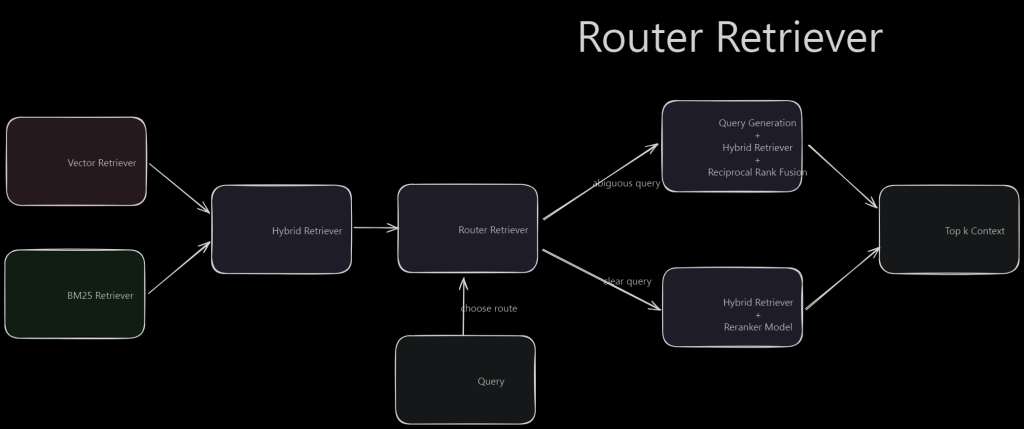
一、安装使用
1.1 Kaggle(推荐)
Step1:把https://github.com/datvodinh/rag-chatbot/blob/main/notebooks/kaggle.ipynb脚本导入到Kaggle。
Step2:把<YOUR_NGROK_TOKEN>替换为自己的token。
1.2 本地安装
a)克隆项目
git clone https://github.com/datvodinh/rag-chatbot.gitcd rag-chatbotb)安装
Docker方式
docker compose up --build脚本方式(Ollama, Ngrok, python package)
source ./scripts/install_extra.sh手动安装
Step1:Ollama
- MacOS, Window: Download
- Linux
curl -fsSL https://ollama.com/install.sh | shStep2:Ngrok
- Macos
brew install ngrok/ngrok/ngrok- Linux
curl -s https://ngrok-agent.s3.amazonaws.com/ngrok.asc \| sudo tee /etc/apt/trusted.gpg.d/ngrok.asc >/dev/null \&& echo "deb https://ngrok-agent.s3.amazonaws.com buster main" \| sudo tee /etc/apt/sources.list.d/ngrok.list \&& sudo apt update \&& sudo apt install ngrokStep3:安装rag_chatbot包
source ./scripts/install.shc)启动
source ./scripts/run.sh或者
python -m rag_chatbot --host localhost使用Ngrok
source ./scripts/run.sh --ngrok此时,会下载大模型

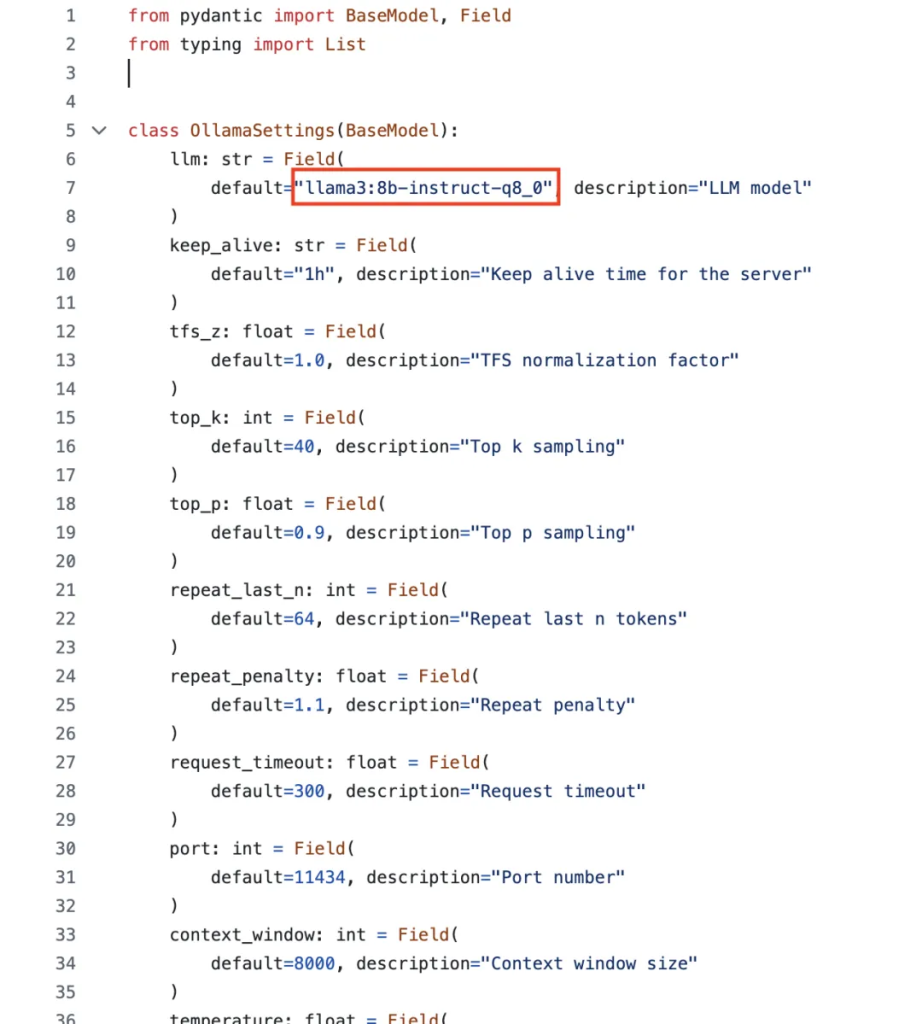
大模型的配置文件:https://github.com/datvodinh/rag-chatbot/blob/main/rag_chatbot/setting/setting.py
LLM默认是:llama3:8b-instruct-q8_0
Embedding模型默认是:BAAI/bge-large-en-v1.5

此时,登录http://0.0.0.0:7860即可访问:

参考文献:
[1] https://github.com/datvodinh/rag-chatbot
文章转自微信公众号@ArronAI
热门推荐
一个账号试用1000+ API
助力AI无缝链接物理世界 · 无需多次注册
3000+提示词助力AI大模型
和专业工程师共享工作效率翻倍的秘密
热门推荐
一个账号试用1000+ API
助力AI无缝链接物理世界 · 无需多次注册